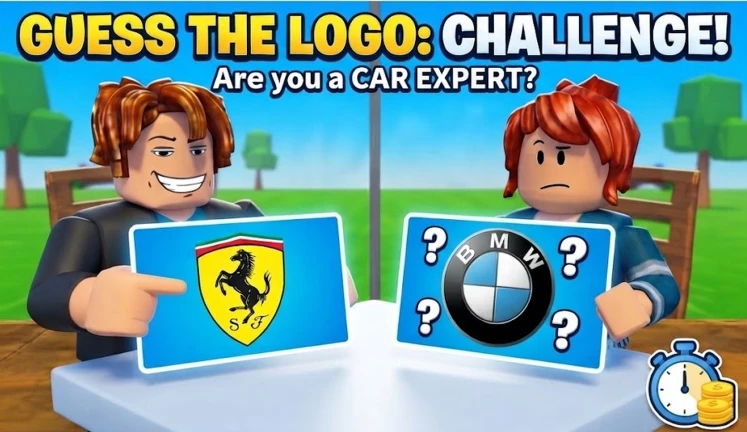
Guess My Car Brand(Update 1 Now!)
作者: Easy Games CCU
年龄分级: 极少
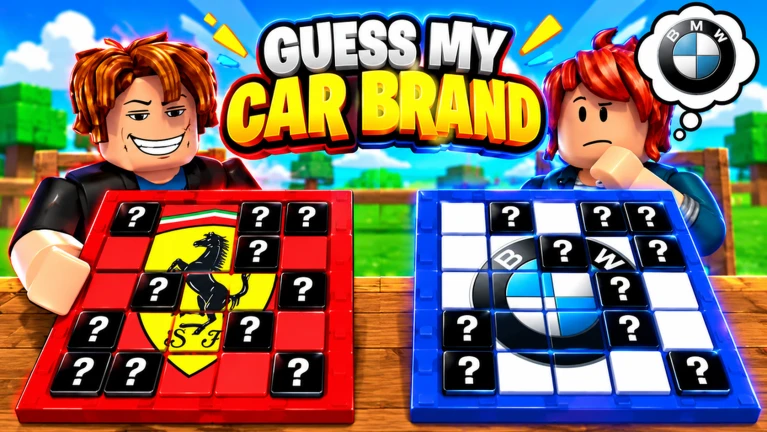
[🏷️] Guess My Car Brand Can you recognize a supercar from just a single headlight or emblem? Test your car knowledge, outsmart your friends, and race to be the first to guess right! 🔲 Flip & Reveal: Uncover the hidden vehicle tile by tile. The suspense is real—think fast before someone else steals the win! 🔄 Live Trading: Got rare gear? Trade with other players, strike the ultimate deal, and flex your Items. 🪑 Unlockable Upgrades: Level up your setup by unlocking custom tables and chairs loaded with stat multipliers to boost your progress. 🔥 Do you have what it takes to top the leaderboards? 👍 Hit LIKE and FAVORITE for huge weekly updates! Next reward code drops at 500 Likes!
- 当前在线
- 0
- 纪录
- 62
- 访问量
- 9.9万+
最高纪录:62 人 (2026年10月4日)
玩家人数
填充区域为每个区间的平均值,虚线为区间内最高值。
新增访问量(每小时)
计入总数的新增访问。
新增收藏(每小时)
收藏了这款游戏的人数。
好评率
点赞在点赞与点踩总数中的占比。
这款游戏每天测量一次 · 最近测量 6小时前 · 自 2026年10月4日 起追踪
简介
[🏷️] Guess My Car Brand
Can you recognize a supercar from just a single headlight or emblem? Test your car knowledge, outsmart your friends, and race to be the first to guess right!
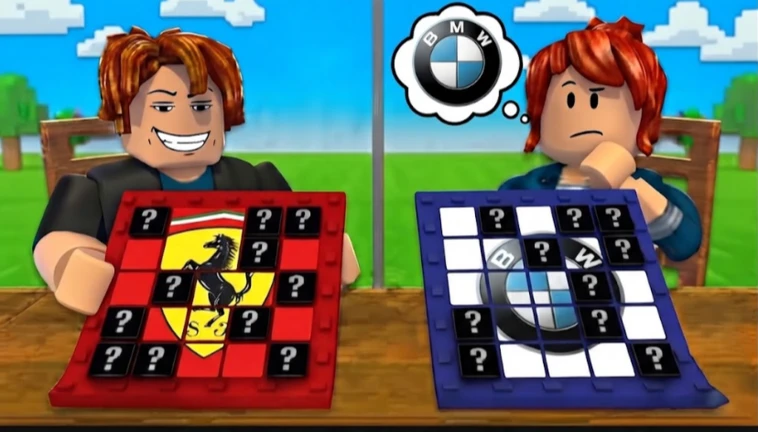
🔲 Flip & Reveal: Uncover the hidden vehicle tile by tile. The suspense is real—think fast before someone else steals the win!
🔄 Live Trading: Got rare gear? Trade with other players, strike the ultimate deal, and flex your Items.
🪑 Unlockable Upgrades: Level up your setup by unlocking custom tables and chairs loaded with stat multipliers to boost your progress.
🔥 Do you have what it takes to top the leaderboards?
👍 Hit LIKE and FAVORITE for huge weekly updates! Next reward code drops at 500 Likes!
更多
- 点赞
- 37 (61%)
- 点踩
- 24
- 子类型
- —
- 虚拟形象
- R15
- 私人服务器
- 无
- 纪录日期
- 2026年10月4日
- Universe ID
- 10765659951
徽章
稀有度表示获得该徽章的玩家比例。
变更记录
服务器容量 25 → 30
服务器容量 20 → 25
开始追踪
加入讨论
给游戏打 1 到 10 分、发起投票、关注玩家并获得回复。
通行证
关于 Guess My Car Brand(Update 1 Now!)
Guess My Car Brand(Update 1 Now!) 是 Easy Games CCU 制作的一款派对与休闲类 Roblox 游戏。 目前有 0 人在玩;总访问量为 99,322,有 262 人收藏了它。 61% 的玩家给出了好评(37 个点赞,24 个点踩)。 我们测得的最高同时在线人数为 62(2026年10月4日)。 它创建于 2026年9月8日,最近一次更新于 2026年10月12日。
常见问题
- 现在有多少人在玩 Guess My Car Brand(Update 1 Now!)?
- 目前有 0 人在玩 Guess My Car Brand(Update 1 Now!)。热门游戏我们每分钟测量一次。
- Guess My Car Brand(Update 1 Now!) 有多少访问量?
- Guess My Car Brand(Update 1 Now!) 的总访问量为 99,322。
- Guess My Car Brand(Update 1 Now!) 的在线人数纪录是多少?
- 我们测得的最高同时在线人数为 62,纪录创于 2026年10月4日。
- Guess My Car Brand(Update 1 Now!) 是谁做的?
- Guess My Car Brand(Update 1 Now!) 属于 Roblox 社群 Easy Games CCU。
- Guess My Car Brand(Update 1 Now!) 是什么时候发布的?
- Guess My Car Brand(Update 1 Now!) 创建于 2026年9月8日,最近一次更新于 2026年10月12日。
玩家也常玩
派对与休闲类热门游戏



 新
 新
 新